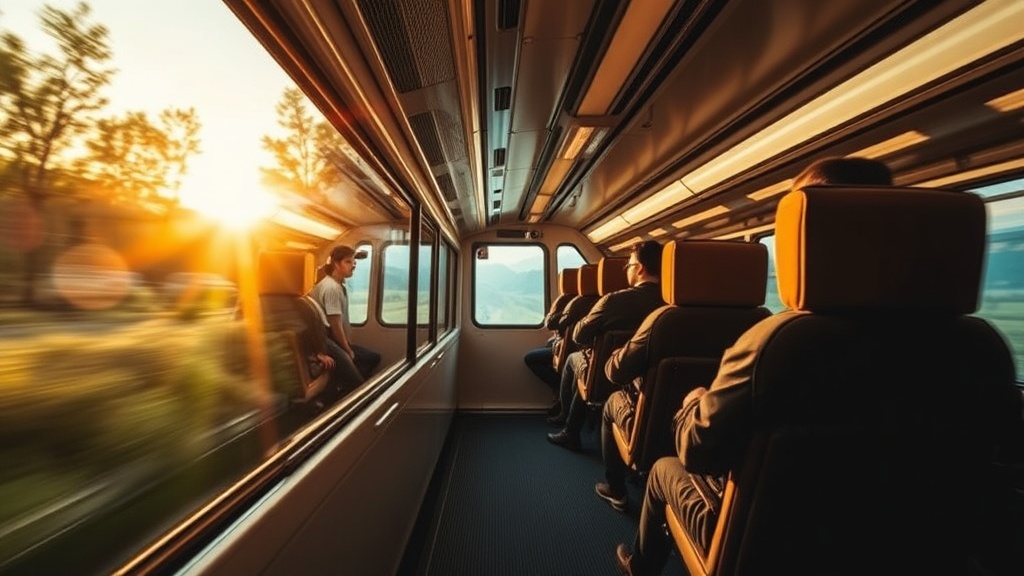
Keep Your Tech Charged and Your Photos Ready on Long Rail Journeys

Ever found yourself staring at a dead phone screen just as the most beautiful mountain pass comes into view? This guide breaks down how to manage your power needs, protect your hardware, and keep your camera gear ready during multi-day rail trips. You'll find specific gear recommendations, power management strategies, and a checklist for keeping your tech functional when you're far from a standard wall outlet.
How Do I Keep My Phone Charged on a Long Train Ride?
The most reliable way to keep your phone charged is by carrying a high-capacity portable power bank and using a multi-port wall charger when an outlet is available. Most long-distance trains provide limited power access, often through a single outlet near your seat or under the table. If you're in a sleeper car, you'll likely have a dedicated outlet, but in coach, you're often at the mercy of whatever is available.
Don't assume the train's power is consistent. Sometimes the voltage fluctuates or the outlet simply doesn't work. I always carry a Anker PowerCore battery pack—it’s a lifesaver when the train's internal power is spotty. It's better to have too much power than to be stuck with a brick mid-trip.
A few things to keep in mind:
- Use Low Power Mode: Most smartphones have a setting that reduces background activity. It helps a lot.
- Airplane Mode is Your Friend: Even if you aren't using cellular data, your phone searches for signal constantly. This drains the battery fast. Turn it off when you're just watching downloaded movies.
- Brightness Control: Keep your screen dim. It sounds basic, but it makes a massive difference over an eight-hour stretch.
If you're traveling through remote areas, you might want to look into portable power bank technology to understand capacity (mAh) and how long it will actually last. A 10,000mAh battery might get you through a day, but for a three-day rail journey, you'll want at least 20,000mAh.
What Is the Best Gear for Protecting Electronics on a Train?
The best gear for protecting electronics involves using hard-shell cases and organized, padded tech pouches to prevent damage from bumps and vibrations. Trains aren't always smooth rides. Between the vibrations of the tracks and the occasional sudden jolt, your gear takes a beating. I don't just throw my cables in a backpack; I use a dedicated organizer.
I use the Peak Design Tech Pouch. It keeps my cables, SD cards, and charging bricks in one place. It also prevents that frustrating "spaghetti mess" of wires at the bottom of my bag. When you're moving between cars or navigating a station, you don't want to be digging around for a charger.
The catch with cheap cables is that they break easily. I've gone through more than one cheap USB-C cable during a trip. Stick to brands like Belkin or Apple for your main cables. They're more expensive, but they don't fail when you need them most. If you're worried about space, look into Apple's design philosophy regarding minimalist, high-quality hardware—it applies to the cables you choose, too.
Here is a quick comparison of common charging setups for rail travelers:
| Setup Type | Best For | Pros | Cons |
|---|---|---|---|
| Single Wall Plug | Sleeper Car passengers | Stable, high power | Requires a seat/outlet |
| High-Capacity Power Bank | Coach/Day Travelers | No wires needed near seat | Requires recharging at night |
| Multi-Port USB Charger | Families/Groups | Charge 3+ devices at once | Can be bulky |
When you're moving through busy stations, remember that your gear is also a target. A padded sleeve for your tablet or laptop isn't just for scratches—it's for impact. If you're carrying a DSLR, a dedicated camera bag is non-negotiable. A backpack with a built-in harness is great, but a dedicated bag provides better weight distribution.
If you're worried about your digital footprint or device security while traveling, you might find Wired's tech guides helpful for understanding mobile security. It's not just about the battery; it's about keeping your data safe while using public station Wi-Fi.
How Can I Manage My Camera Battery Life?
Manage your camera battery life by shooting in low-power modes, turning off the LCD screen when not shooting, and carrying at least two spare batteries. A single battery rarely lasts a full day of heavy photography, especially if you're shooting 4K video. Video eats power much faster than still photos.
I never leave home without a spare battery for my Sony Alpha. It's a simple rule. If you're using a mirrorless camera, the screen is a massive power draw. Try to use the viewfinder instead of the rear LCD whenever possible. It's more efficient and—honestly—it's a better way to compose your shots anyway.
Don't forget your SD cards. I used to carry one massive 512GB card, but that's a mistake. If that one card fails or gets corrupted, your entire trip is lost. It's much safer to have several smaller cards. That way, if one fails, you still have the others. It's a small step that prevents total heartbreak.
Here's a quick checklist for your tech bag:
- Primary Power Bank: At least 20,000mAh.
- Wall Adapter: A multi-port one (like the Anker Nano series).
- Short Cables: Long cables get tangled in small train spaces.
- SD Card Case: A hard, waterproof case is a must.
- Earbuds/Headphones: Noise-canceling is a must for long rides (the Sony WH-1000XM5 is my current favorite).
The noise of the train can be a distraction, but it can also be a way to focus. If you're using your devices for entertainment, remember that headphones are a piece of tech too. They need charging. If you're using noise-canceling headphones, make sure you have a dedicated cable or a way to charge them without needing a full wall outlet. Most modern headphones can be used wired if the battery dies, which is a great fallback.
When you're planning your gear, think about the weight. Every ounce counts when you're hauling a bag through a train station. I've learned that more isn't always better. A streamlined kit is a fast kit. If you don't use a piece of gear every single day, leave it at home. You don't need three different types of chargers—just one good one that does everything.
If you're also concerned about your physical comfort while managing your tech, you might want to read my previous post on finding peace and legroom. It's a different kind of preparation, but it's just as vital for a successful trip. Managing your space is just as important as managing your power.
Lastly, check your connections before you leave. I've had more than one trip ruined because I realized my charging cable had a fray in it. Test everything at home. Plug your camera into your power bank. Plug your phone into your car charger. Ensure the connection is solid. It's a small detail, but it's the difference between a great trip and a frustrating one.
Steps
- 1
Check Outlet Availability
- 2
Pack a Multi-Port Wall Charger
- 3
Carry a High-Capacity Power Bank
- 4
Use a Universal Travel Adapter